Blindenbrille
Rediscover the world through innovative technologies.
- Role
- Designer & Developer
- Year
- 2024
- Team
- With Julien Offray
- Tools
- Raspberry Pi 4, Node.js, OpenAI Vision, OpenAI TTS
Overview
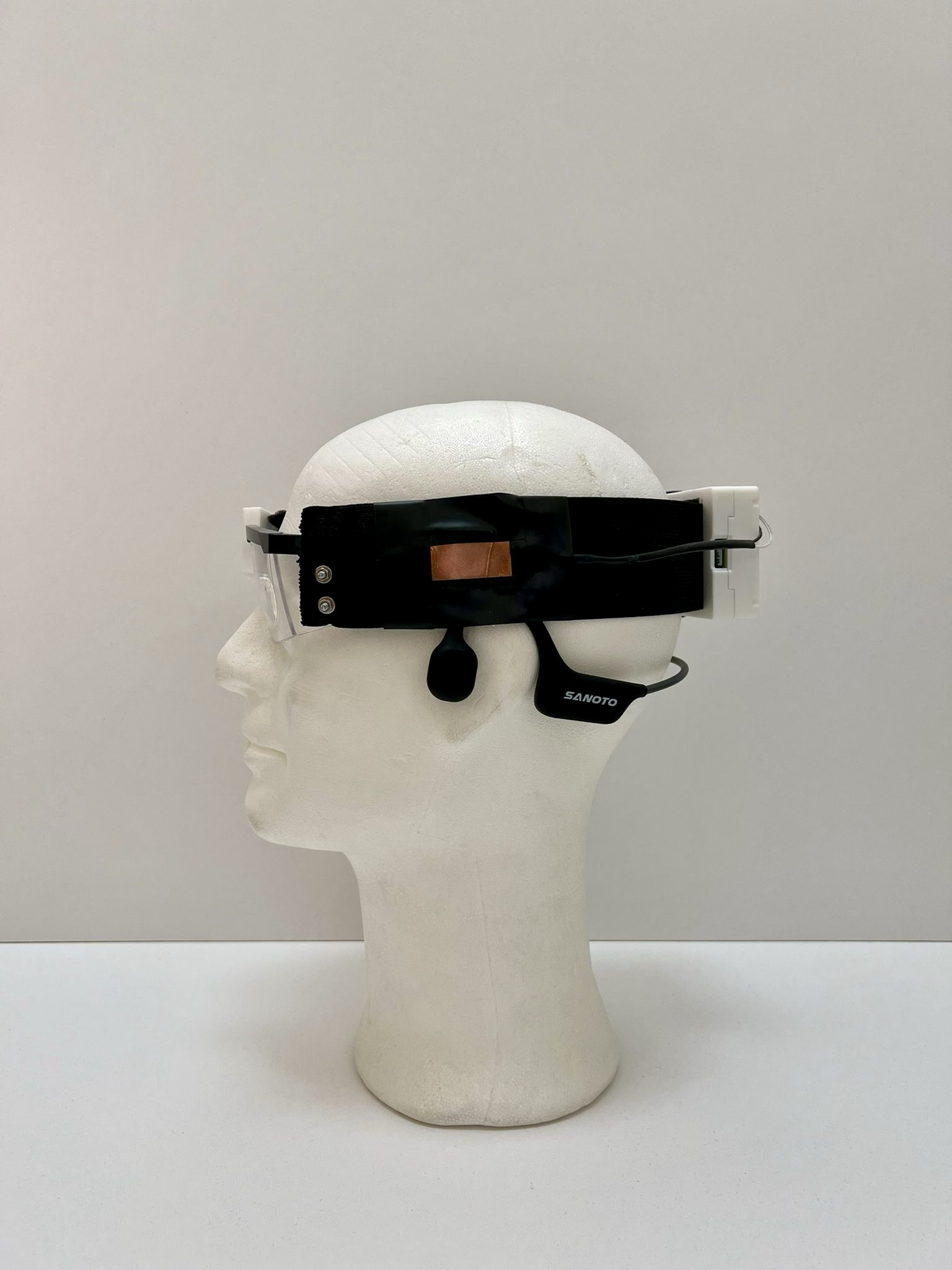
Blindenbrille is an IoT solution that helps visually impaired individuals perceive and navigate their environment. The glasses use a Raspberry Pi, camera, and AI to continuously describe the surroundings through a bone-conduction headset — leaving the ears open to ambient sound.
Problem
Existing assistive technologies for the visually impaired rely heavily on haptic feedback or direct audio cues — useful for navigation but limited in conveying the richness of an environment. The project asked: what if visually impaired people could experience not just where they are, but what's around them?
Process
The project spanned both hardware and software design simultaneously. On the hardware side, we prototyped the physical form factor — integrating the Raspberry Pi, camera module, and touch sensor into wearable glasses frames. The bone-conduction headset was chosen specifically to preserve ambient hearing, which is critical for safety.
On the software side, we built a Node.js server on the Pi that manages the camera capture loop, API calls to OpenAI Vision, and TTS audio generation. The prompt design for OpenAI was iterated extensively — the descriptions needed to be useful and oriented toward the needs of someone who cannot see, not generic scene captions.
Two distinct modes emerged from testing:
- Outdoor mode: Rich environmental descriptions — atmosphere, scenery, who's nearby — to support social participation and navigation
- Indoor mode: Concise spatial orientation — obstacles, room layout, navigation instructions
Solution
The final system works as a continuous feedback loop: the camera captures frames → sends to OpenAI Vision with a mode-specific prompt → receives a descriptive text → converts via OpenAI TTS → plays through the bone-conduction headset. Mode switching happens via a touch sensor on the frame.
The UX design challenge was entirely in the prompt engineering and audio pacing — making sure descriptions were timed well and didn't overwhelm the user with information.
Outcome
The project demonstrated how combining off-the-shelf AI APIs with thoughtful physical design can produce a meaningful assistive device. Beyond the technical achievement, it required deep empathy for the target user — designing not for screens, but for ears.